TL;DR
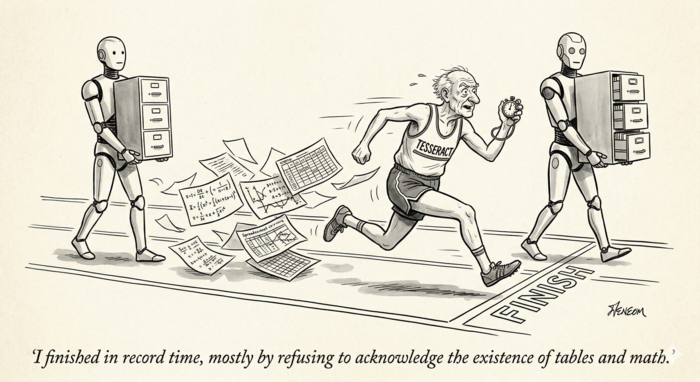
We benchmarked four OCR approaches on the standard OlmOCR-Bench (1,403 documents, 7,010 tests): two dedicated OCR models (LightOnOCR-2-1B and GLM-OCR), a general-purpose vision LLM (Qwen3.5-35B), and traditional OCR (Tesseract). LightOnOCR scored 77.2% in BF16 and 76.4% with FP4 quantization — proving you can cut VRAM in half with negligible quality loss. GLM-OCR scored 75.4% and excels at knowing what to skip (91.3% on header/footer filtering) but struggles with tables. Qwen3.5, not designed for OCR at all, scored 73.5% with a tuned prompt — beating GPT-4o’s published 69.9%. Configuration matters more than model choice: image resolution and output token limits alone swung LightOnOCR by 14 points. Tesseract scored 34.4% — zero on math, near-zero on tables. The era of one-size-fits-all OCR is over.
The Three Eras of OCR
Optical Character Recognition has gone through three distinct phases. Traditional OCR (Tesseract, ABBYY, EasyOCR) uses pattern matching and feature extraction — algorithms designed by engineers to recognize character shapes. Dedicated neural OCR models (LightOnOCR, GLM-OCR, olmOCR, Chandra) are vision-language models trained specifically for document text extraction. General-purpose vision LLMs (GPT-4o, Qwen-VL, Gemini) are massive multimodal models that happen to be capable of reading text from images, among many other tasks.
We tested representatives from each category against the OlmOCR-Bench benchmark to find out which approach actually delivers.
The Benchmark
OlmOCR-Bench is a standardized evaluation suite from Allen AI containing 1,403 PDF documents and 7,010 binary unit tests. Unlike traditional OCR metrics like Character Error Rate, it tests real-world document understanding: Can the model correctly extract text from multi-column layouts? Does it preserve table structure? Can it handle LaTeX equations? Does it properly skip headers and footers?
The test categories include academic papers with dense mathematics, scanned historical documents, complex tables, multi-column layouts, and long pages with tiny text.
What We Tested
We ran four models locally, all served through OpenAI-compatible APIs via vLLM on an RTX 5090:
- LightOnOCR-2-1B — a 1-billion parameter dedicated OCR model, tested in both BF16 (full precision) and FP4 (4-bit quantized) configurations
- GLM-OCR — a 0.9-billion parameter dedicated OCR model from Z.AI, using the GLM-V architecture
- Qwen3.5-35B-A3B — a 35-billion parameter general-purpose vision LLM (4-bit AWQ quantized)
- Tesseract — the traditional open-source OCR engine, running on CPU
The Results
| Model | Overall | Tables | Text | Math | sec/page |
|---|---|---|---|---|---|
| LightOnOCR BF16 | 77.2% | 90.2% | 72.7% | 89.8% | 1.2s |
| LightOnOCR FP4 | 76.4% | 88.7% | 71.8% | 89.2% | 1.8s |
| GLM-OCR | 75.4% | 43.5% | 67.1% | 80.8% | 1.4s |
| Qwen3.5 | 73.5% | 58.3% | 75.5% | 84.6% | 2.6s |
| Tesseract | 34.4% | 0.4% | 41.1% | 0.0% | 0.3s |
LightOnOCR dominates on structured content — 90.2% on tables, 89.8% on math. GLM-OCR is fast and strong overall but collapses on tables (43.5%) because it requires a separate “Table Recognition:” prompt for table regions that our single-prompt pipeline doesn’t provide. Qwen3.5 wins on text extraction (75.5%) but is the slowest GPU model. Tesseract is 4-8x faster than everything else but scores zero on math and near-zero on tables.
FP4 Quantization: Half the VRAM, Same Quality
One of our most surprising findings: quantizing LightOnOCR from BF16 to FP4 dropped the score by just 0.8 points — from 77.2% to 76.4%. We used switzerchees/LightOnOCR-2-1B-NVFP4, a community-contributed NVFP4 quantization of the original model using NVIDIA’s ModelOpt toolkit. The VRAM savings were dramatic: from 12.4GB down to 5.1GB with FP8 KV cache, a 59% reduction. Processing speed slowed slightly from 1.2s to 1.8s per page.
For production deployment, FP4 quantization is an easy win — you free up 7GB of GPU memory for other workloads while losing less than a percentage point of accuracy.
Configuration Matters More Than Model Choice
Our most striking finding: the same model’s score swung by 14 points based purely on configuration. LightOnOCR scored 63.3% with default benchmark settings (1,024px images, 3,000 max output tokens) but jumped to 77.2% when we increased image resolution to 1,540px and the token limit to 8,192.
The token limit was the bigger factor. Dense document pages — mathematical papers, legal contracts, specification tables — routinely exceed 3,000 tokens of text. With the default cap, the model’s output was silently truncated mid-sentence, failing tests that checked for text presence near the bottom of pages. The “long tiny text” category jumped from 39.8% to 89.8% with this single change.
The lesson: before concluding a model is inadequate, check whether you’re actually letting it finish its output.
The Prompt Paradox
Qwen3.5 presented an unexpected challenge. With the benchmark’s default “basic” prompt (just the image, no instructions), it scored 71.9% — beating GPT-4o’s published 69.9%. It naturally understood to skip headers and footers (83.9% on that category) and produced clean, readable output.
When we added a strict OCR system prompt — “Extract ALL visible text exactly as it appears” — the overall score dropped to 67.5%. Text extraction improved (long text: 58.4% to 91.2%), but header/footer removal crashed from 83.9% to 18.4%. The model did exactly what we asked — it extracted everything, including page numbers and running headers.
Our best Qwen result (73.5%) came from a prompt inspired by olmOCR’s battle-tested template: “Return the plain text as if you were reading it naturally. Remove headers, footers, and page numbers, but keep references and footnotes. Do not hallucinate.” This balanced faithful extraction with smart filtering.
The prompt paradox extends to dedicated OCR models too. LightOnOCR performed worse with any prompt — it’s trained to take an image and return text, period. Adding the olmOCR “finetune” prompt dropped its score from 63.3% to 52.2%. The instruction confused rather than guided it. Its best configuration was no prompt at all, just a larger image and higher token limit.
GLM-OCR sits between these extremes — it requires a fixed prompt keyword (“Text Recognition:”, “Table Recognition:”, or “Formula Recognition:”) but can’t follow free-form instructions. Its published benchmark score of 75.2% used per-region prompting with layout detection, applying the right prompt to each detected region. Our run used “Text Recognition:” for everything, which explains the table score gap (43.5% vs published 77.6%).
Where Tesseract Falls Off the Map
We ran Tesseract on the same OlmOCR-Bench suite. It scored 34.4% overall — less than half of LightOnOCR’s 77.2%. But it processed all 1,403 pages in just 7 minutes at 0.3 seconds per page — 4-8x faster than the GPU models.
The category breakdown tells the story:
| Category | Tesseract | LightOnOCR | GLM-OCR | Qwen3.5 |
|---|---|---|---|---|
| Baseline text | 99.3% | 99.8% | 99.4% | 99.6% |
| Long tiny text | 60.0% | 89.8% | 88.7% | 91.9% |
| Multi-column | 52.4% | 85.2% | 79.3% | 84.3% |
| Headers/footers | 44.1% | 32.2% | 91.3% | 40.1% |
| Text present | 41.1% | 72.7% | 67.1% | 75.5% |
| Tables | 0.4% | 90.2% | 43.5% | 58.3% |
| Math (LaTeX) | 0.0% | 89.8% | 80.8% | 84.6% |
Tesseract got zero percent on math — it can output individual symbols but has no concept of LaTeX notation. It scored 0.4% on tables — it sees individual text fragments without understanding cells, rows, or columns. On baseline clean text it matched the neural models at 99.3%, proving it can still read characters. But structured document understanding is simply not in its architecture.
GLM-OCR stands out on headers/footers at 91.3% — the best of any model we tested. It naturally knows what to exclude from output, a skill that neither LightOnOCR (32.2%) nor Qwen3.5 (40.1%) reliably demonstrate.
Dedicated OCR vs General VLM: Different Strengths
In manual testing beyond the benchmark, the models’ personalities became clear.
LightOnOCR is a pure transcription engine. Give it a scanned contract, and it faithfully reproduces every word, number, and formatting mark. It’s fast (1.2-1.8 seconds per page), uses minimal VRAM (5-6GB with FP4+FP8 KV cache), and never editorializes. But show it an architectural drawing, and it only extracts the title block text — it can’t describe what the drawing depicts. On the benchmark, it dominated tables (90.2%) and math (89.8%) but struggled with header/footer filtering (32.2%) since it has no concept of what should be excluded.
GLM-OCR is the most document-aware of the dedicated models. It understands page structure well enough to filter headers and footers (91.3%), processes at 1.4 seconds per page, and handles math competently (80.8%). Its weakness is table extraction when using a generic prompt — with proper per-region prompting via its layout detection pipeline, it achieves 77.6%.
Qwen3.5 understands documents. On architectural drawings, it extracted street names from site plans, utility company phone numbers from legends, and compliance data from code analysis tables. It scored highest on text extraction (75.5%) and handled degraded scans better than the dedicated models. But its table extraction was weaker (58.3%), it’s the slowest at 2.6 seconds per page, and its behavior was highly prompt-dependent — the difference between its best and worst score was 6.4 points based solely on prompt wording.
Why include a 35-billion parameter model that scores lower and runs slower than a 1B dedicated OCR model? Because Qwen3.5 was already running in our infrastructure for other tasks. Adding it as an OCR option cost zero additional VRAM — we’re just routing requests to an existing endpoint. In multi-model environments, the marginal cost of adding a capable model you already have is effectively nothing.
The practical recommendation: use dedicated OCR models for document reproduction (contracts, legal filings, specifications) and general VLMs for document understanding (drawings, diagrams, mixed visual-text content). Better yet, offer all options and let users choose — which is exactly what we built.
The Real Leaderboard
Published OlmOCR-Bench scores provide context for our results:
| Model | Score | sec/page | Type |
|---|---|---|---|
| Chandra-OCR-2 (4B) | 85.9% | ~0.7s | Dedicated OCR |
| LightOnOCR-2-1B (published) | 83.2% | — | Dedicated OCR |
| olmOCR-2 (7B) | 82.4% | — | Dedicated OCR |
| LightOnOCR BF16 (our run) | 77.2% | 1.2s | Dedicated OCR |
| LightOnOCR FP4 (our run) | 76.4% | 1.8s | Dedicated OCR |
| Marker | 76.1% | — | Document parser |
| MinerU | 75.8% | — | Document parser |
| GLM-OCR (our run) | 75.4% | 1.4s | Dedicated OCR |
| GLM-OCR (published) | 75.2% | — | Dedicated OCR |
| Qwen3.5-35B (our run) | 73.5% | 2.6s | General VLM |
| Mistral OCR | 72.0% | — | General VLM |
| GPT-4o | 69.9% | — | General VLM |
| Qwen2.5-VL (7B) | 65.5% | — | General VLM |
| Tesseract (our run) | 34.4% | 0.3s | Traditional OCR |
The most important number might be GPT-4o’s 69.9%. A model that costs roughly $15 per thousand pages and requires sending your documents to an external API scores lower than a 1-billion parameter model you can run on a consumer GPU for essentially free. The cost-performance curve has shifted decisively toward self-hosted, specialized models.
What This Means for Your OCR Pipeline
If you’re building or upgrading an OCR system in 2026:
- Don’t default to Tesseract unless your documents are exclusively clean, single-column printed text
- Test your actual documents, not benchmarks — a model that scores 85% on academic papers may score 50% on your scanned invoices
- Check your configuration — image resolution and output token limits matter as much as model choice
- Prompt engineering is real — the same model swings 15+ points based on instructions
- Quantization works — FP4 saves 59% VRAM with less than 1% accuracy loss
- Self-hosted beats cloud — a $2,000 GPU running a 1B model outperforms $15/1K-page API calls
The era of treating OCR as a solved problem is over. It’s now an engineering problem with multiple viable solutions, each with distinct tradeoffs. Choose based on your documents, not the leaderboard.
Testing conducted on an NVIDIA RTX 5090 (32GB) running vLLM. All models served via OpenAI-compatible APIs.